








在SAP 开发FIORI APP时,都会用到manifest.json文件,特别是在用ELEMENTS 开发时,运用程序的很多参数都需要在manifest.json中设置,比如LIST中的多选,全选,变式等,在网络上基本找不到一个完整的manifest.json参数介绍 ,以下是从SAP UI5库中得到的一些可能参数说明。
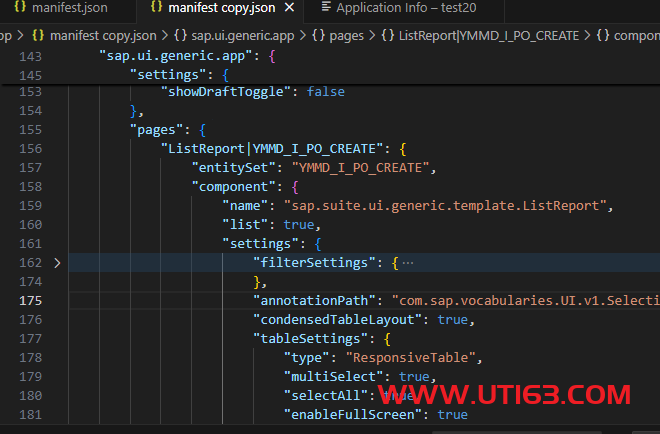
比如在List Report 里的 table 进行设置,当前manifest.json文件如下。
|
1 2 3 4 5 6 7 8 9 10 11 12 13 14 15 16 17 18 19 20 21 22 23 24 25 26 27 28 29 30 31 32 33 34 35 36 37 38 39 40 41 42 |
"sap.ui.generic.app": { "_version": "1.3.0", "settings": { "flexibleColumnLayout": { "defaultTwoColumnLayoutType": "TwoColumnsMidExpanded", "defaultThreeColumnLayoutType": "ThreeColumnsEndExpanded" }, "forceGlobalRefresh": false, "considerAnalyticalParameters": true, "showDraftToggle": false }, "pages": { "ListReport|YMMD_I_PO_CREATE": { "entitySet": "YMMD_I_PO_CREATE", "component": { "name": "sap.suite.ui.generic.template.ListReport", "list": true, "settings": { "filterSettings": { "dateSettings": { "useDateRange": true, "selectedValues": "DAYS,WEEK,MONTH,DATERANGE ", "fields": { "erdat": { "defaultValue": { "operation": "TODAY" } } } } }, "annotationPath": "com.sap.vocabularies.UI.v1.SelectionPresentationVariant#Default", "condensedTableLayout": true, "tableSettings": { "type": "ResponsiveTable", "multiSelect": true, "selectAll": true, "enableFullScreen": true } } }, |
我们想知道如里面的些参数说明是什么,更完整的参数是那些,有会参数可以设置,
这时,我们可查看Component.js 文件里定义的元数据(metadata),
比如,LIST 的完整参数说明在文件以下文件的TemplateAssembler.getTemplateComponent中
http://localhost:8081/resources/sap/suite/ui/generic/template/ListReport/Component-dbg.js

而上一级的sap.ui.generic.app参数在
http://localhost:8081/resources/sap/suite/ui/generic/template/lib/AppComponent-dbg.js
中可以找到
其它对象对应的也都可以在/resources/sap/suite/ui/generic/template/下对应的目录中找Component-dbg.js文件中找到。